
Stew Recipes: Crock Pot Meals
TarrySoftFood & Drink
4.541.00 Reviews
- Version
- 36.1.3
- Installs
- 100.00K
- Age Rating
- Everyone
Screenshots
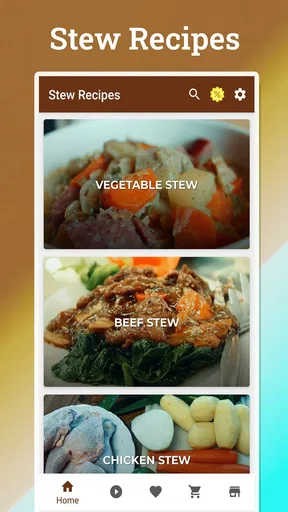
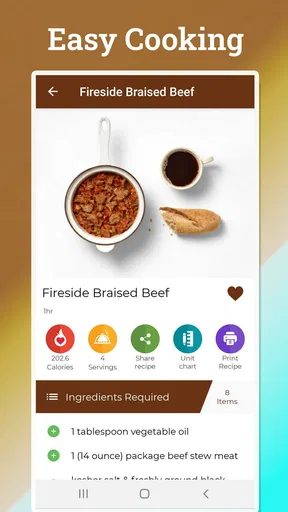
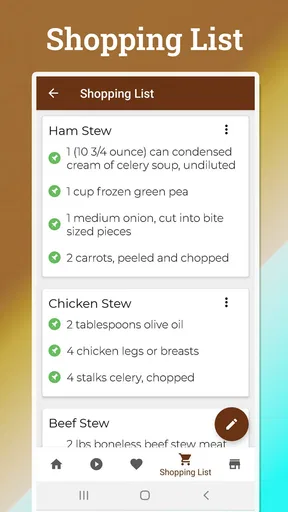
Our Review of Stew Recipes: Crock Pot Meals
 Analysis by Appyee
When I want a comforting meal without hovering over the stove, I usually look for recipes that explain the slow-cooking process clearly rather than simply showing a long list of ingredients. Stew Recipes: Crock Pot Meals takes that focused approach. It is a free Food & Drink app from TarrySoft built around beef stews and easy crock pot cooking, and I found its narrow purpose more useful than a broad recipe collection when I already knew I wanted something warm, filling, and slow-cooked.
The app is not trying to replace a complete kitchen reference library. Its strength is the way it keeps attention on stew-style meals and the practical rhythm of preparing them. That makes it a straightforward companion for a busy weekday, a relaxed weekend meal, or anyone still gaining confidence with a slow cooker. I would not choose it for baking, vegetarian variety, nutritional tracking, or advanced meal planning, but for its particular cooking lane, it has a clear identity.
Why the focused crock pot recipe approach matters
The most useful capability here is the concentration on beef stew recipes for crock pot cooking. That sounds simple, but it changes how I use the app. Instead of opening a general recipe service and filtering through unrelated soups, desserts, salads, and quick skillet meals, I can start with the kind of dish I actually intend to cook. The result feels less like browsing for inspiration and more like choosing a workable dinner plan.
That focus is especially helpful when the main question is not “What can I make?” but “What can I leave cooking while I handle the rest of the day?” Slow-cooked stew has a forgiving character, and the app’s subject matter suits that reality. I can think about the meal in stages: choose a recipe, check the shopping list mentally, prepare the ingredients, and let the crock pot handle the long cooking period.
I also appreciate that the app’s subject is specific enough to support beginners. A large recipe platform can be overwhelming because every dish competes for attention. Here, the theme gives me a useful boundary. If I am learning how slow cooking affects meat, root vegetables, broth, and seasoning, staying within one family of meals makes experimentation easier to understand.
The app was released in October 2016 and has reached over a hundred thousand installs, with an average rating of 4.5 from around 690 ratings. Those figures suggest that the basic idea has found a steady audience, but I would still judge it by whether its focused recipe experience matches my own cooking habits rather than treating popularity as proof that it suits everyone.
What the focus changes in a real kitchen
A dedicated stew app can be more useful than a general recipe app when I am cooking under ordinary household conditions. I may have inexpensive beef, onions, carrots, potatoes, and a few cupboard staples, but not the time or energy to invent a full recipe. The app’s theme helps me turn those familiar ingredients into a planned meal instead of searching through dozens of unrelated suggestions.
There is also a practical psychological benefit. Stew is often chosen because it can be prepared ahead of time and served later. A focused collection supports that “set it up and get on with the day” mindset better than recipes designed for immediate stovetop attention. I still need to read each recipe carefully and use sensible food-safety habits, but the overall direction fits a low-intervention cooking routine.
One important trade-off is that the narrow subject can feel limiting. If I open the app wanting a fast lunch, a fresh side dish, or a meat-free dinner, its central purpose is no longer an advantage. The same focus that removes distractions also means I should not expect a complete meal-planning system.
Using the recipes from preparation to serving
In practice, I would use this app before cooking rather than constantly during the cooking process. I first choose a stew that fits the ingredients and time I have available. Then I read through the recipe once from beginning to end, paying attention to preparation steps that are easy to overlook when I am eager to start. This single read-through is one of my best habits with slow-cooker recipes because the long cooking time can make a late correction inconvenient.
For a typical weekday scenario, I might open the app in the morning, choose a beef stew, and check whether I need to cut vegetables, brown meat, or prepare a sauce before placing everything in the crock pot. I would then organize the ingredients on the counter, complete the early preparation, and leave the meal to cook while I work. By the evening, the app has served its main purpose: it helped me move from indecision to a planned dinner without requiring constant attention.
My practical tip is to treat the recipe as a preparation checklist, not just a cooking instruction. Before starting, I group ingredients by task. Vegetables that need chopping go together, liquids are measured in one place, and seasonings are kept nearby. This reduces the chance of discovering halfway through that an important step was missed. It also makes the app more useful for someone who is new to crock pot cooking and may not yet have an efficient kitchen routine.
Another useful habit is to separate “active time” from “waiting time.” A recipe may cook slowly, but the preparation can still take attention. I would not begin a recipe five minutes before leaving home unless I had already checked every step. The app encourages a relaxed style of cooking, but relaxed does not mean careless. Reading first is particularly important when a recipe includes a preparation step that affects texture or flavor.
How I would adapt a recipe without losing its character
Stew recipes invite substitutions, but I would make them thoughtfully. If I replace one root vegetable with another, the overall structure may remain similar. Changing the main protein, removing a thickener, or adding a large amount of liquid can alter the result much more. I see the app as a starting point for controlled adjustments, not as permission to change every component at once.
A good way to learn from the recipes is to change only one thing per attempt. For example, I might keep the meat and vegetables consistent while adjusting the seasoning slightly. On the next occasion, I could compare a different vegetable combination. This makes it easier to understand which change affected the final dish, instead of ending with a meal that tastes different without knowing why.
I would also keep serving time in mind. Slow-cooked dishes can continue softening while they rest, so vegetables that are already very tender may not be ideal if the meal will sit for a while before everyone eats. That is not a flaw in the app; it is a general crock pot consideration that becomes important when using any recipe collection centered on long cooking.
The app is free to download, which makes this focused experiment easy to try. It does include in-app purchases ranging from $0.99 to $99.99 per item. I would pay attention to what is offered during use before committing to anything, especially if I only want a small collection of stew ideas. The free entry point is appealing, but the possible purchase range means the full experience may not be equally attractive to every budget.
A realistic family dinner workflow
Imagine I have a busy afternoon and want dinner ready without ordering food. I open the app early enough to inspect a recipe, make a quick ingredient check, and prepare the meat and vegetables before the household gets busy. Once the crock pot is started, I can focus on work, errands, or family responsibilities instead of managing a pan every few minutes.
When dinner approaches, I would check the stew’s texture and seasoning before serving rather than assuming the recipe has removed every judgment call. This is where the app works best as a guide. It gives me a direction, while I remain responsible for recognizing whether the vegetables are tender, whether the sauce has the consistency I like, and whether the final seasoning needs a small adjustment.
That workflow also shows why this app may be more valuable to a beginner than to a highly experienced cook. An experienced cook may already know how to build a stew from memory. A beginner benefits from having a dedicated source of ideas that keeps the meal concept manageable. The app does not need to teach every culinary technique to be useful; it needs to make the next dinner feel achievable.
Where the app fits compared with usual alternatives
Compared with a broad recipe platform, this app is less versatile but more direct. General services are better when I want to search by dietary restrictions, available ingredients, cuisine, preparation time, or a wide range of meal types. They may also be preferable when I want user comments, extensive personalization, or a large meal-planning ecosystem. The focused stew app wins when those extra layers would only slow me down.
Compared with a printed cookbook, the app is easier to keep nearby while I am deciding what to cook, and it avoids taking up physical kitchen space. A cookbook may still be better for someone who enjoys a curated collection, wants to make notes in the margins, or prefers not to use a phone around food. The right choice depends on whether convenience and quick browsing matter more than a fixed, tactile reference.
Compared with searching the web for individual recipes, a dedicated app can reduce the feeling of starting from zero each time. I do not have to build my own collection of search terms around beef stew and crock pot meals. On the other hand, web searches can expose me to more variations and provide easier comparison between different cooking styles. I would choose the app for a contained experience and the web when I need a very specific adaptation.
The app’s age rating is Everyone, so it presents itself as suitable for a broad audience. That does not mean every recipe is equally suitable for every household. Dietary needs, allergies, sodium preferences, and ingredient availability still require personal checking. Someone following a strict eating plan should use the recipes as inspiration only unless the individual ingredients fit that plan.
The friction I noticed before recommending it
The biggest limitation is the narrow range. A person looking for a complete food companion may quickly outgrow it. There is no reason to open a stew-focused app when I need breakfast ideas, a dessert, a quick vegetable side, or a dinner that does not suit slow cooking. I would keep it as a specialized tool rather than expect it to become my only recipe resource.
Another limitation is that slow cooking itself requires planning. The app can help me select a dish, but it cannot make an unplanned meal instant. If I forget to thaw an ingredient, underestimate preparation time, or start too late, the crock pot format may work against me. This is a useful distinction: the app simplifies recipe choice, not the passage of time.
I would also be cautious about relying on a recipe title alone. Two stews can use similar ingredients but produce different textures depending on cutting size, the amount of liquid, and the heat setting of the appliance. I prefer to inspect the full instructions and use my own judgment rather than assuming every recipe behaves identically in every crock pot.
For users who dislike advertisements or optional purchase prompts, the free model may create some irritation depending on how the app is presented during use. I would not call that a deal-breaker without trying the current interface, but it is a sensible reason to test the basic experience before spending money. The app’s value depends on whether its focused recipes are convenient enough to justify any extras.
Who will get the most from this recipe companion
I think the best audience is someone who owns, borrows, or plans to buy a crock pot and wants a simple place to begin with beef stews. It is also a good match for people who prefer hearty meals that can be prepared in advance. Students, busy households, and new cooks may appreciate the limited scope because it makes choosing a recipe less intimidating.
It can also help an experienced home cook who wants a prompt rather than a complete lesson. I sometimes need a reminder of a familiar meal structure before adapting it to what is already in the kitchen. In that situation, the app is valuable as a source of direction. Its usefulness comes from reducing decision fatigue, not from replacing personal cooking knowledge.
I would skip it if my priority is variety across many cuisines, detailed nutrition information, strict dietary filtering, or fast meals prepared in one pan. I would also look elsewhere if I wanted a social recipe community where comments and substitutions are central to the experience. A broad alternative would serve those needs more effectively, even if it takes longer to find a suitable stew.
Device compatibility is relatively approachable: the current version is 36.1.3 and it requires Android 8.0 or later. That makes it a realistic option for many Android users who do not keep the newest phone available. Still, I would check the app on the device I plan to use in the kitchen, because screen readability and ease of handling matter when following instructions with wet or busy hands.
After spending time with its concept and cooking workflow, my opinion is positive but deliberately specific. This is not a universal recipe application, and it should not be judged as one. Its value comes from making crock pot stew selection feel simple, approachable, and connected to a realistic daily routine. If your goal is an easy slow-cooked beef dinner, the focused format is the reason to try it.
TarrySoft has kept the product centered on a familiar cooking need rather than turning it into an oversized kitchen platform. I would recommend it to a friend who wants practical stew inspiration and is comfortable making the final decisions about ingredients, timing, and seasoning. I would not recommend it as the sole cooking app for someone who wants broad meal planning or specialized nutrition support. Used for the job it is designed to handle, it is a convenient, low-cost starting point for building better crock pot habits.
Verdict
Strengths of Stew Recipes: Crock Pot Meals
- Simple recipes suit beginners and require little cooking experience.
- Slow-cooker meals are convenient for busy schedules and meal planning.
- Many dishes use affordable, easy-to-find supermarket ingredients.
- Recipes can be saved or bookmarked for quick access later.
- Comfort-food variety includes soups, stews, meats, and family-style meals.
Limitations of Stew Recipes: Crock Pot Meals
- Some recipes require several hours of cooking before they are ready.
- Ingredient quantities may not always suit larger families or groups.
- The app may offer limited options for vegetarian or special diets.
- Photos and instructions can vary in detail between individual recipes.
- Offline access may be restricted if recipes depend on an internet connection.
Other Releases by TarrySoft
View All
Pixel 4D™ Live Wallpapers
Personalization4.7

Wallpapers HD - Backgrounds 4K
Personalization4.8

Photo Collage Maker & Editor
Photography4.7

Video Compressor & Converter
Video Players & Editors4.5
Similar Picks in This Category
View All
Rappi: Food Delivery, Grocery
Rappi, Inc - Delivery3.5

McDonald’s: Cupons e Delivery
Arcos Dorados4.3

Swiggy: Food Instamart Dineout
Swiggy4.7

Blinkit: Groceries & more
Blinkit4.8

foodpanda: food & groceries
Foodpanda GmbH a subsidiary of Delivery Hero SE4.0

Zomato: Food Delivery & Dining
Zomato4.7
Frequently Asked Questions
What is Stew Recipes: Crock Pot Meals?
Stew Recipes: Crock Pot Meals is a recipe app focused on comforting, slow-cooked dishes that can be prepared in a crock pot or similar slow cooker. It brings together meal ideas such as beef stews, chicken dishes, vegetable combinations, soups, and other one-pot recipes. The app is designed for users who want practical cooking inspiration without searching through multiple websites.
Does Stew Recipes: Crock Pot Meals include recipes for beginners?
Yes, the app is suitable for beginners because crock-pot cooking generally involves straightforward preparation: assembling ingredients, adding them to the cooker, and allowing the meal to cook slowly. Recipes typically provide ingredient lists and preparation guidance, making them easy to follow even if you have limited kitchen experience. However, users should still read each recipe carefully and follow food-safety instructions.
Can I find recipes for different dietary preferences?
The available selection may include a variety of meat-based, poultry, and vegetable-focused meals, but the range of dietary options can vary from recipe to recipe. People following vegetarian, low-sodium, gluten-free, dairy-free, or other specific diets should check every ingredient and suggested substitution before cooking. The app can provide inspiration, but it should not be treated as a certified dietary or medical resource.
Does the app work without an internet connection?
Offline availability depends on how the app stores its recipes. Some content may be accessible after it has been loaded, while other features, images, advertisements, or updates may require an internet connection. If you plan to cook somewhere with limited connectivity, open the recipes beforehand and save or note the ingredients and instructions you need. Checking the app’s current store description is recommended.
Is Stew Recipes: Crock Pot Meals free to download and use?
The application may be available as a free download, although the exact experience can include advertising, optional purchases, or premium content depending on the version installed and the user’s platform. Before downloading, review the Google Play Store or Apple App Store listing for current pricing, permissions, subscription details, and in-app purchase information. This helps avoid surprises and confirms whether all recipes are freely accessible.
